01
Start here: the app, Chat and Work
Get the app
Get the official ChatGPT app and sign in with your .edu account
Install the desktop app for the broadest agent features. Work handles supported multi-step tasks in a browser, but some newer agent features are desktop-only. OpenAI app guide.
- Go to chatgpt.com/download. On a phone, search ChatGPT and confirm the publisher is OpenAI.
- Install the app for your device: Mac, Windows, iPhone or Android.
- Open the app and choose Log in. Enter your full campus email address, the one ending in .edu.
- Finish your campus sign-in.
Signed in with a personal email? Log out and sign in again with your .edu address so you get your campus plan and its data privacy.
Choose a mode
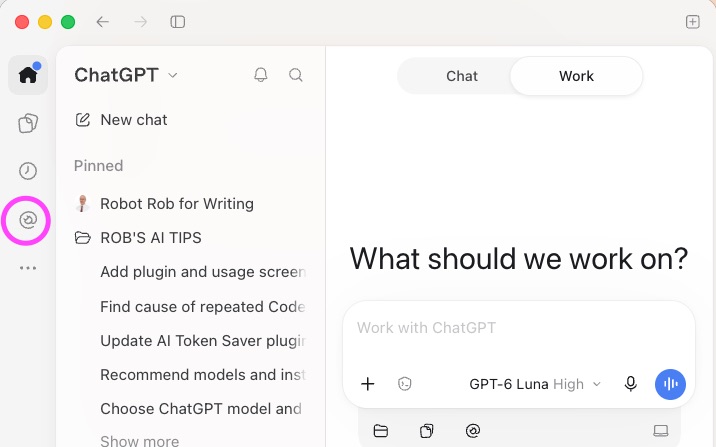
Chat or Work? Pick the mode at the top of the screen
Chat
Talk it through
Questions, quick drafts and explanations. You stay in the conversation and steer each reply.
Work
Hand off a job
Multistep tasks that produce a finished file, such as a report or slide deck. ChatGPT plans, uses your tools and reports back.
Quick win: Connect an approved document service, find five recent documents and ask for a one-line summary of each.